Expert Technical Analysis: Summer Spells Word Puzzle Mechanics
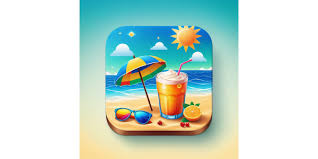
Summer Spells implements a drag-and-drop letter positioning system that differentiates it from standard word puzzle games. The core mechanic requires players to physically drag scrambled letters into correct positions to form complete words, rather than selecting from multiple choices or typing. Each level presents a shuffled word related to summer themes - beach activities, tropical drinks, vacation concepts - with a 30-second countdown timer adding time pressure to the puzzle-solving process.
The application spans 10.3MB in download size and requires iOS 16.0 or later, with full compatibility across iPhone, iPad, and Mac devices running Apple M1 chips on macOS 13.0 or newer. Version 1.2 specifically addresses a completion bug affecting level 9 on iOS 18.3 and above, demonstrating active maintenance by developer Valerii Aleksieiev. The game architecture divides 30+ levels into three distinct blocks, each containing themed vocabulary sets: Block 1 covers beach and ocean terminology, Block 2 introduces surfing and water sports language, while Block 3 focuses on tropical beverages including specific cocktails like Mojito and Bloody Mary.
The achievement framework incorporates eight unlockable milestones including Welcome Traveler, Speed Runner, Ultimate Champion, and King of Olympus, tracked through a persistent progress system that rewards completion speed and accuracy. Quiz integration adds variety by presenting multiple-choice questions such as "What is surfing usually done on?" with answers requiring subject knowledge rather than word manipulation skills. This hybrid approach combines linguistic pattern recognition with factual retention testing.
Real-World Usage: How Summer Spells Gameplay Functions
Opening Summer Spells presents users with a level selection screen displaying three unlocked blocks, with progression locked behind sequential completion requirements. Tapping a level loads a beach-themed interface showing scrambled letters positioned randomly across the screen. The player must identify the target word, then physically drag each letter to its correct position in the answer box. Incorrect placements trigger visual feedback, while correct positioning locks the letter in place with a confirmation animation.
A typical gameplay session begins at Level 1 with simple 4-5 letter words like "BEACH" or "WAVES", gradually increasing to 8-10 letter combinations by Level 30. The countdown timer displays prominently at screen top, changing color as time decreases - green for 20+ seconds remaining, yellow under 15 seconds, red below 5 seconds. Quiz levels interrupt the standard word-dragging pattern every 5-7 levels, presenting four answer options where tapping the correct response immediately advances progression. Failed attempts restart the level instantly without penalty, though achievement tracking records completion time affecting Speed Runner status qualification. The interface maintains consistent touch responsiveness across all device sizes, with letter hitboxes sized for comfortable finger manipulation on screens as small as iPhone SE.
Drag and Drop Letter Mechanics
The letter manipulation system uses native iOS touch gestures, detecting finger position in real-time to move letter tiles across the screen. Each letter maintains a collision detection boundary that snaps to designated answer slots when dragged within proximity threshold. Letters cannot overlap incorrectly, preventing accidental misplacement. The visual feedback system highlights valid drop zones in green when hovering a letter nearby, while invalid positions show red indicators.
Animation curves apply smooth easing functions to letter movement, creating natural-feeling drag physics rather than rigid position updates. When released, incorrectly placed letters bounce back to their origin point with a spring animation, while correct placements lock with a satisfying scale pulse effect. This tactile feedback reinforces learning patterns as players quickly associate visual cues with placement accuracy.
Touch Gesture Control
Visual Feedback System
30+ Progressive Tropical Levels in 3 Blocks
Level architecture implements a tiered difficulty curve across three distinct vocabulary categories. Block 1 comprises levels 1-11 featuring foundational beach terminology: sand, ocean, shell, coast, tide, pier, reef, palm, surf, and crab. Block 2 spans levels 12-22 with water sports focus: surfboard, snorkeling, diving, jet ski, parasail, wakeboard, kayak, windsurfing, and paddleboard.
Block 3 concludes with levels 23-33 centered on tropical beverages and relaxation vocabulary: pinacolada, margarita, mojito, daiquiri, sangria, smoothie, coconut, pineapple, mango, and passionfruit. Each block introduces 2-3 quiz levels interspersed among standard word-dragging challenges. Word length increases progressively from 4-5 characters in early levels to 8-12 characters by final stages, with letter scrambling algorithms ensuring varied challenge across replays.
Beach Vocabulary Block
Water Sports Block
Tropical Drinks Block
Integrated Quiz Challenge System
Quiz levels present multiple-choice questions requiring factual knowledge rather than word manipulation skills. Example questions include "What is surfing usually done on?" with four options: skateboard, snowboard, surfboard, wakeboard. Other questions test recognition of tropical drink ingredients, beach safety protocols, or ocean geography concepts. The quiz interface displays the question text prominently at screen center with four equally-sized answer buttons arranged in a 2x2 grid below.
Selecting an incorrect answer triggers immediate visual feedback with the wrong choice briefly flashing red before returning to default state, allowing retry without level failure. Correct selections immediately transition to a completion screen showing earned stars and unlocking the next sequential level. Quiz questions maintain consistent formatting across all appearances, with text scaling automatically based on device screen dimensions to ensure readability on both compact iPhone screens and larger iPad displays.
Knowledge Testing
Multiple Choice Format
Achievement and Progress Tracking
The achievement system monitors eight distinct accomplishment categories throughout gameplay. Welcome Traveler unlocks upon completing the tutorial level, introducing players to core mechanics. Speed Runner requires completing any level within 10 seconds, rewarding quick pattern recognition. Ultimate Champion activates after finishing all 30+ levels, marking complete game progression. King of Olympus demands perfect three-star ratings across every level, necessitating both speed and accuracy.
Additional achievements include Quiz Master for answering all quiz questions correctly on first attempt, Streak Keeper for completing five consecutive levels without failure, Tropical Expert for learning all vocabulary terms in Block 3, and Persistence Champion for attempting any single level 20+ times. Achievement unlocks trigger animated trophy presentations with associated point values ranging from 10 points for basic milestones to 100 points for completion-based achievements. Total achievement score displays on the main menu screen alongside level progression statistics and cumulative gameplay time tracking.
8 Unique Achievements
Point System Tracking
Performance Metrics
Technical Specifications and Compatibility
iPhone Compatibility
Requires iOS 16.0 or later. Compatible with iPhone SE (2nd gen), iPhone 8 through iPhone 15 series. Optimized for all screen sizes from 4.7-inch to 6.7-inch displays.
iPad Support
Full iPad compatibility including iPad Mini, iPad Air, and iPad Pro models. Adaptive layout scales to 8.3-inch through 12.9-inch displays with optimized touch targets.
Mac Compatibility
Native macOS support for Apple Silicon Macs running macOS 13.0 or later. Requires Apple M1, M2, or M3 chip. Touchpad gestures replace touch controls.
Apple Vision Support
Compatible with Apple Vision Pro running visionOS 1.0 or later. Interface adapts to spatial computing environment with gesture-based interaction.
Language Support
Primary interface language: English. All vocabulary, quiz questions, and UI elements presented in English. No additional language packs currently available.
Storage Requirements
10.3MB initial download size. Approximately 15MB total storage after installation including app assets and level data. No additional content downloads required.
✓ No Data Collected - Complete Privacy
Summer Spells collects zero user data. No personal information, gameplay statistics, or device identifiers transmitted to external servers. All progress saved locally on device only. No third-party analytics, advertising networks, or tracking mechanisms integrated.
Developer: Valerii Aleksieiev | Category: Word Games | Content Rating: 4+ Years
Version 1.2 Update: Fixed level 9 completion verification bug affecting devices running iOS 18.3 or newer. Resolved letter snap-to-grid positioning inconsistency on iPad Pro 12.9-inch displays. Improved touch responsiveness for rapid letter dragging sequences.